Planning & contractor brief
How to Turn AI Kitchen Renders into a Practical Painter or Contractor Brief
By KitchenRedesign AI · Remodeling finish & layout comparisons
Published · Updated
A great AI preview saves hours of vague explaining ("I want something bright and warm, maybe modern farmhouse but not too rustic?"), yet walking into a showroom or contractor estimate claiming "just make it look like this AI picture" creates instant friction. Tradespeople quote scope, substrate prep, clearances, and SKU specs—not pixels.
Here is how to turn two or three favorite renders into a crisp, realistic brief professionals appreciate.
Separate visual direction from physical trade scope
| What AI Preview Communicates Well | What Trades Still Must Measure & Quote |
|---|---|
| Door profile direction (Shaker vs flat slab) | Exact door counts, hinge types, box integrity |
| Overall color & sheen mood (matte vs warm white) | Primer system, oak grain filling, specific paint SKU |
| Countertop edge & backsplash mood (slab vs subway) | Plumbing sink cutout, electrical boxes, slab length |
| Contrast balance between floor, lowers, uppers | Exact hardwood transition height, appliance clearance |
Step-by-step handoff workflow
- Export Before / After JPGs directly from KitchenRedesign AI: Having both your current room and concept side-by-side lets a cabinet painter immediately recognize existing boxes, soffits, and ceiling trim.
- Circle what the AI changed that you do NOT plan to replace: If the render swapped your white stove or moved your sink pendant, cross that note in red so quotes stay anchored to actual scope.
- Ask about substrate prep, not brand matches: Show your painter Sage Green Shaker or Warm White Oak and ask what door prep (grain-filling honey oak vs ordering new slab/Shaker doors) gives that smooth finished look cleanly.
- Bring physical samples back under your own lighting: Never ask a contractor to color-match paint off a glowing phone screen.
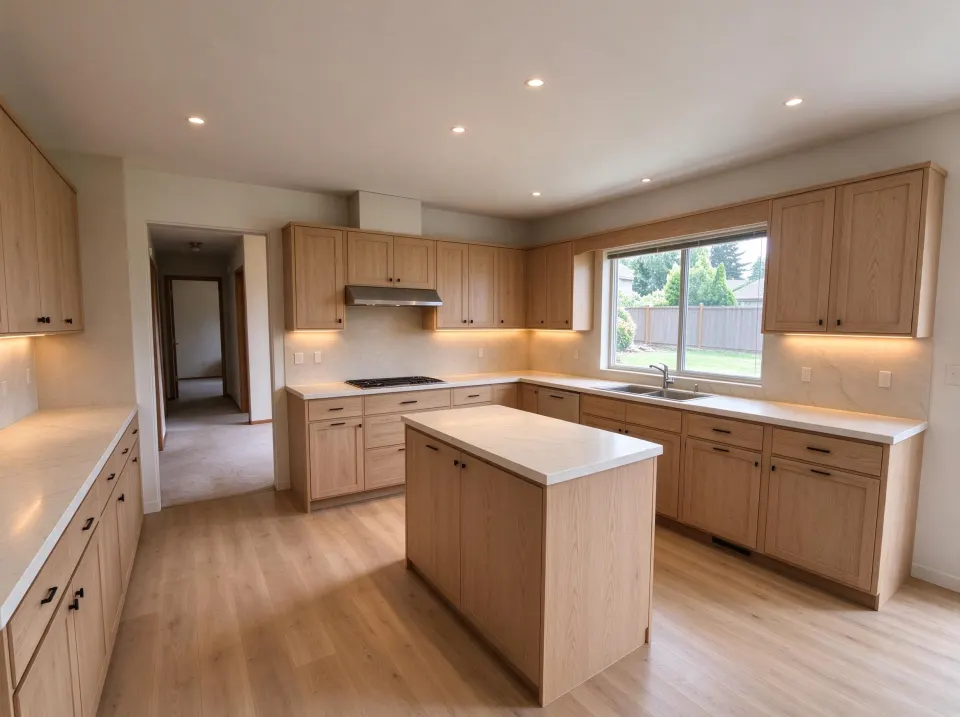
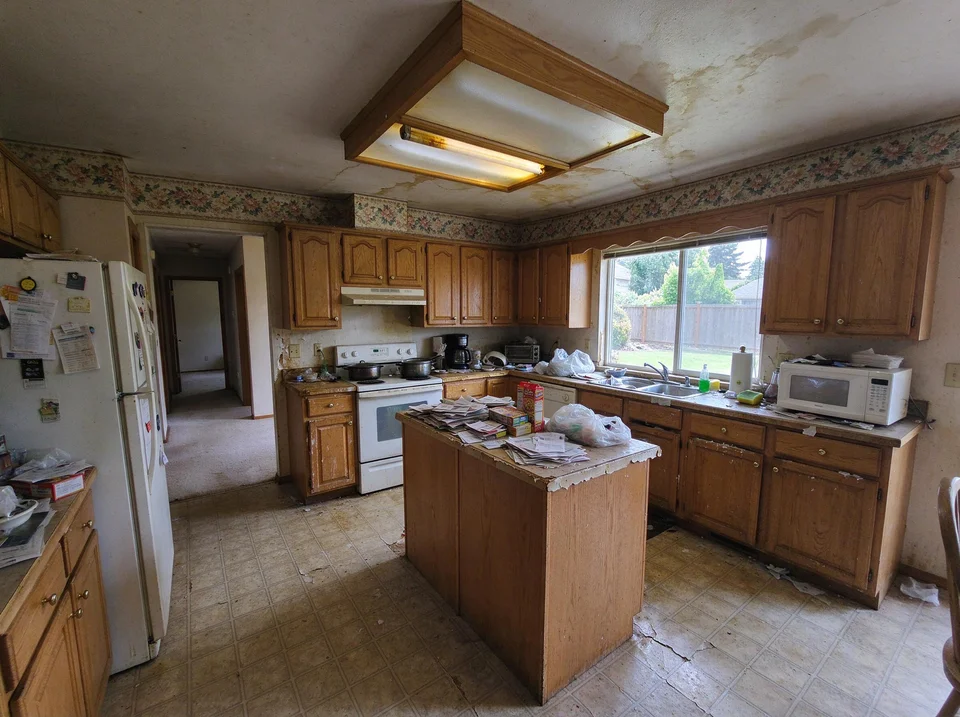
Architectural grain: rift-cut natural white oak flat-panel doors
Tight neutral wheat-toned white oak grain feels far quieter than orange-toned 1990s honey oak.
AI concept illustration on a reference dated oak kitchen · Verify exact dimensions and paint swatches physically · 2026-11-18
Now test this look on your own kitchen
Start with a clear daytime photo of your cabinets and counters.
Keep your original photos alongside saved renders
In KitchenRedesign AI, generated outputs are stored privately in My designs (available to revisit, download, or delete anytime), while uploaded originals remain on your own device unless noted—keep your original camera roll photos handy beside exported Before / After JPG sheets. See the help center for full details on credits, image storage, and refunds.
Further planning reading
- NKBA: Preparing for a Kitchen ConsultationWhat tradespeople actually need during initial scoping.